




Solution to system startup issue faced by Quick Heal users

Some of our users might be facing system startup issues. This blog post explains the solution to the problem.
Problem description
A certain group of Quick Heal users has reported to be experiencing system startup issues. The issue occurred after users received the update that was released on 30th June 2016 at around 7:50 PM.
Affected users
• Not all Quick Heal users are affected by this issue.
Affected language version
• English.
Affected Operating System
• The issue is not specific to any Operating System.
Cause
The issue occurred due to an addition of LNK based proactive detection during startup.
Solution for affected users
We recommend users to follow the steps mentioned below:
1. Start your computer in Safe Mode. Refer to this guide for help.
2. Start Command Prompt (Administrator mode) and navigate to Quick Heal installation directory.
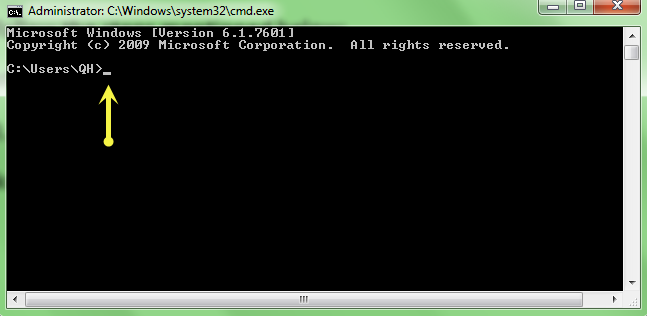
3. Type Quickup.exe /rollback in the space as indicated below:
4. Once the process is complete, restart the system in Normal Mode and take the latest updates released on 1st July 2016 at 2:15 PM.
Note:
Users who are not affected by this issue are also recommended to take the updates released on 1st July 2016 and restart their computer.
If the issue does not get resolved after following the above-mentioned steps, please connect with our Support Team; they will be glad to assist you.
We sincerely regret the inconvenience that this issue might have caused. We’ve taken it as a learning to avoid similar incidents in the future.