




What is Ransomware and How to remove it using Quick Heal?

Ransomware is called so, because it holds the victim’s computer hostage in return for money (ransom) from the user. This post tells you about ransomware, and how Quick Heal helps you deal with it.
What is Ransomware?
Ransomware is a sophisticated malware. It hijacks the victim’s system and renders it nonfunctional. The malware prevents the user from using any applications or even accessing the operating system itself, until the victim agrees to pay a certain amount of money.
Ransomwares usually spread via infected software programs, malicious websites, and infected email attachments.
One type of ransomware, after infecting the victim’s computer, begins to encrypt the system’s data. To put it in another way, the malware kidnaps the data. Thereafter, the malware artist demands money in exchange for decrypting the data.
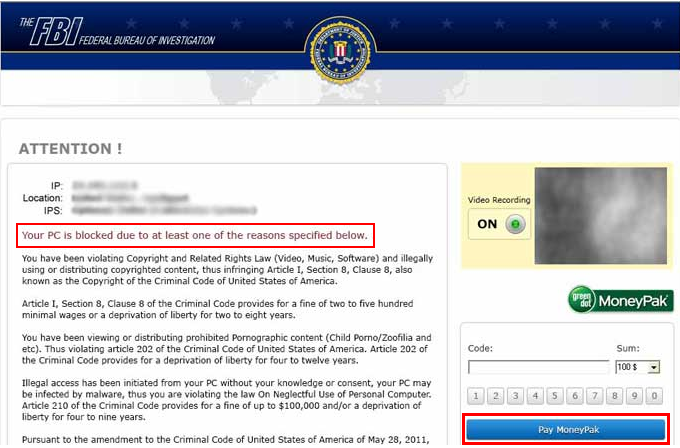
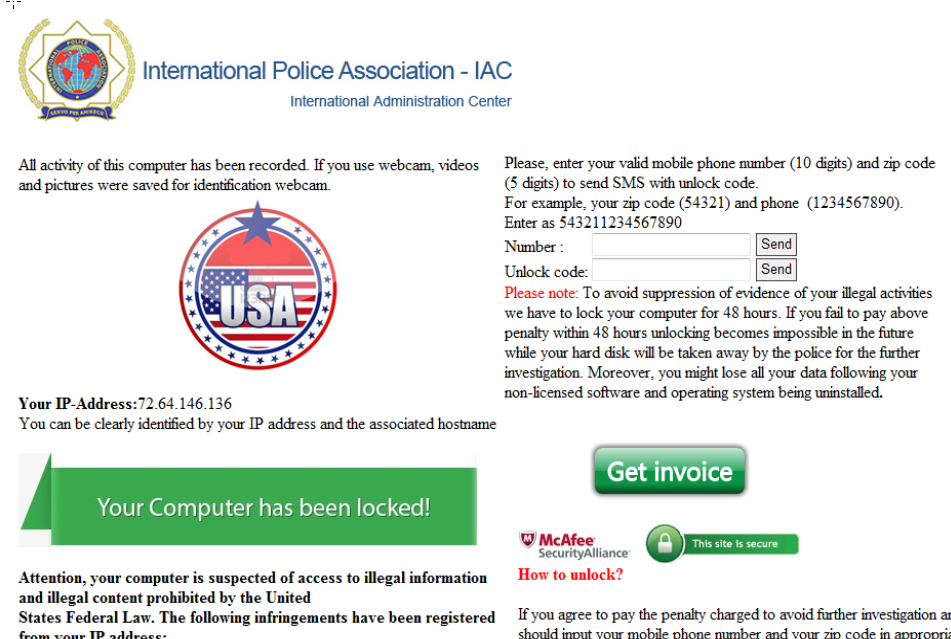
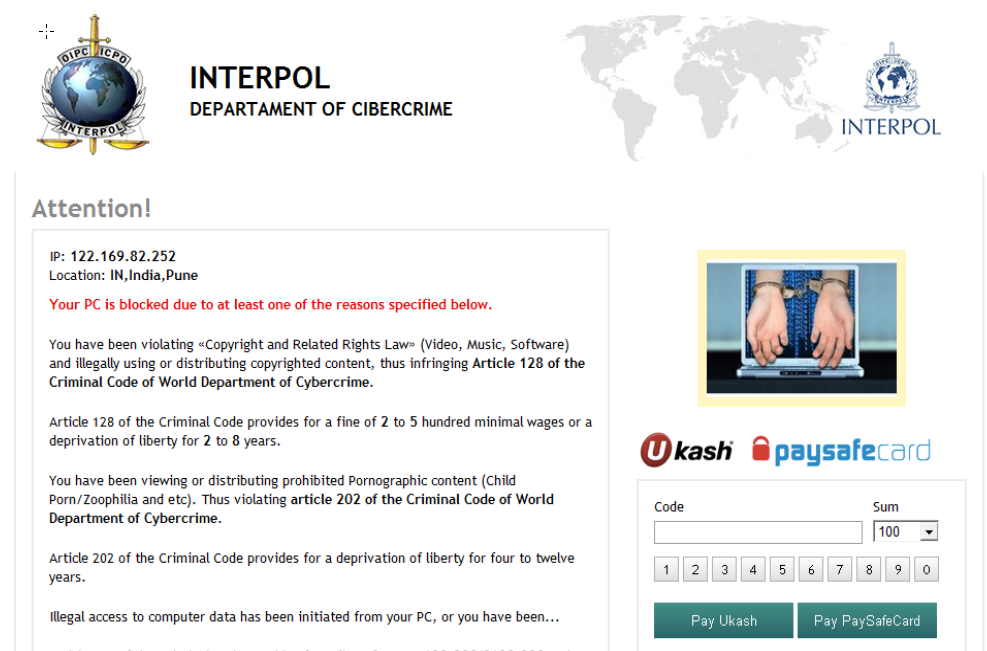
Some strains of ransomware only display a banner on the victim’s system. The banner claims that the government law-enforcement agency has fined the user for being associated with or performing illegal activities on the Internet such as:
1. Copyright infringement
2. Pornography
3. Child Pornography
4. Promoting terrorism
6. Gambling
Here are some examples:
[Note: click the images for an enlarged view.]
Precautionary Measures against Ransomwares
1. Keep your operating system/browser/plug-ins up-to-date with security patches and updates.
2. Use a multi-layered and reliable security software for your machine; keep it updated.
3. Ignore any unexpected or unsolicited mails, or any mail from sources you do not recognize.
4. Use Quick Heal for Autorun protection, so that no malware gets executed automatically through infected removable drives.
5. Keep your system’s restore point up-to-date; this makes it easier to remove malware if you just go back to an earlier, malware-free state.
How to remove Ransomware using Quick Heal?
A. Obtain an Emergency CD/Pen Dive
For this, as your machine is already infected by a ransomware, you would need another system where Quick Heal is installed and has the latest security updates.
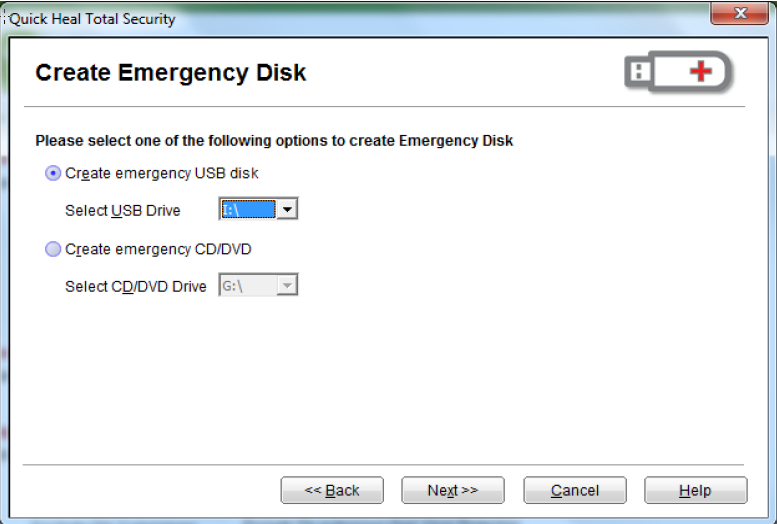
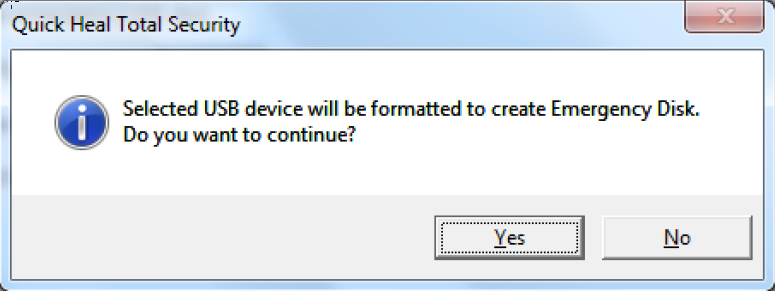
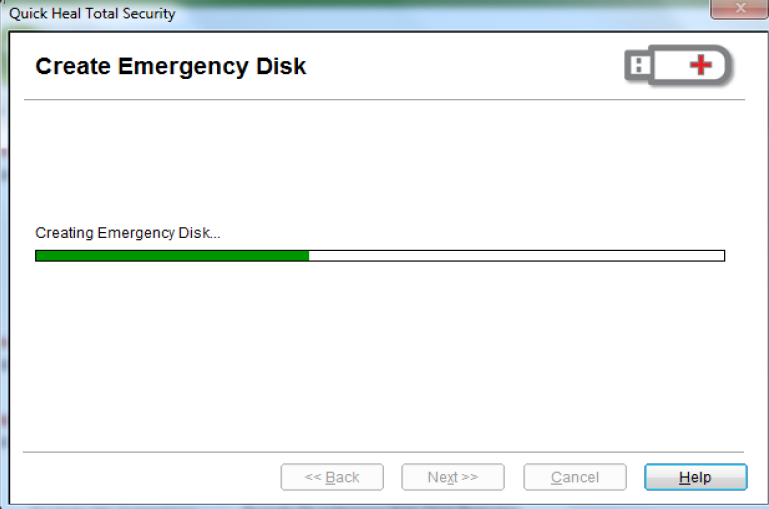
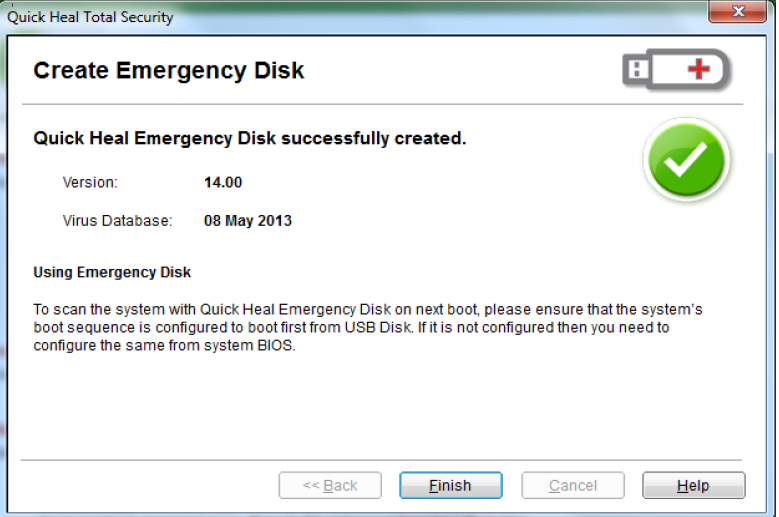
Follow these steps to create an emergency CD/Pen Drive:
1. Open the dashboard of Quick Heal.
Go to Start-> Programs -> Quick Heal XXXX XXXX -> Quick Heal XXXX XXXX
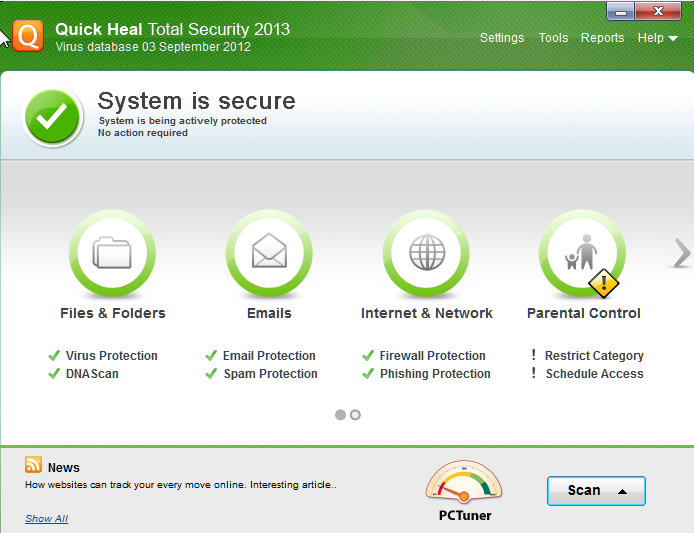
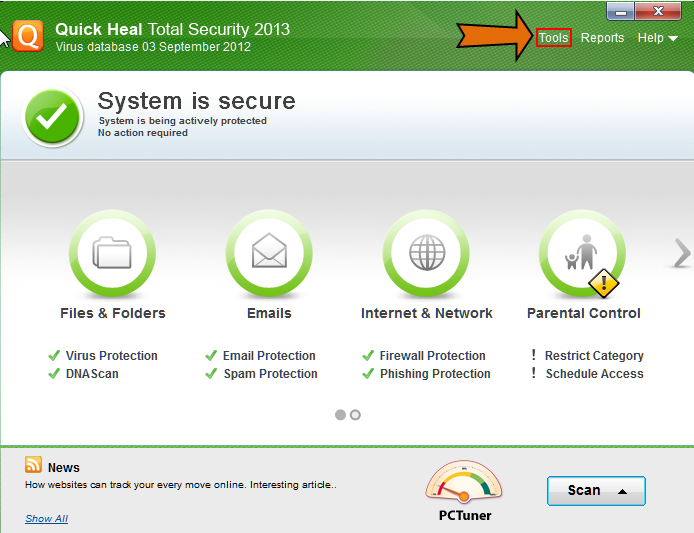
2. Click Tools; present at the top-right corner of the Quick Heal dashboard
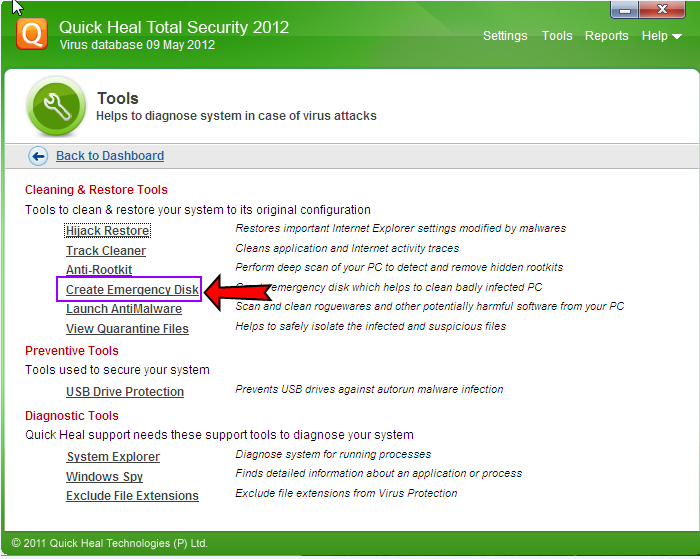
3. Thereafter, click Create Emergency Disk
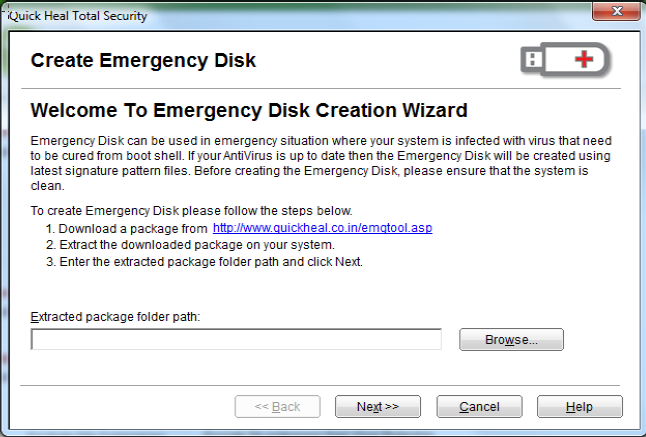
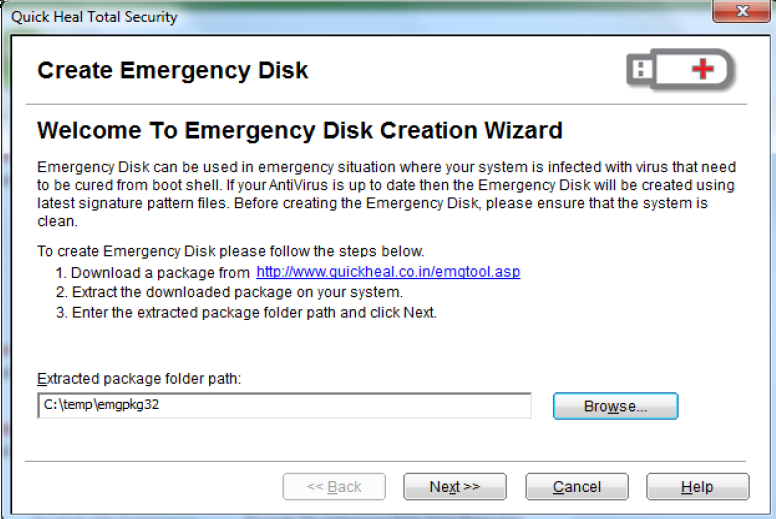
4. Follow the subsequent instructions to create the Emergency Disk
B. Perform Emergency Scan on the Infected System
1. Once the Emergency CD/Pen Drive is created, boot the disk rather than your affected system’s operating system. (Depending on your Operating System, switch on the infected machine, hit F8 or F7 before the Windows Logo pops up). Follow these steps:
a. Change the booting sequence from the Bios menu
b. Change the boot device priority to pen drive or cd drive
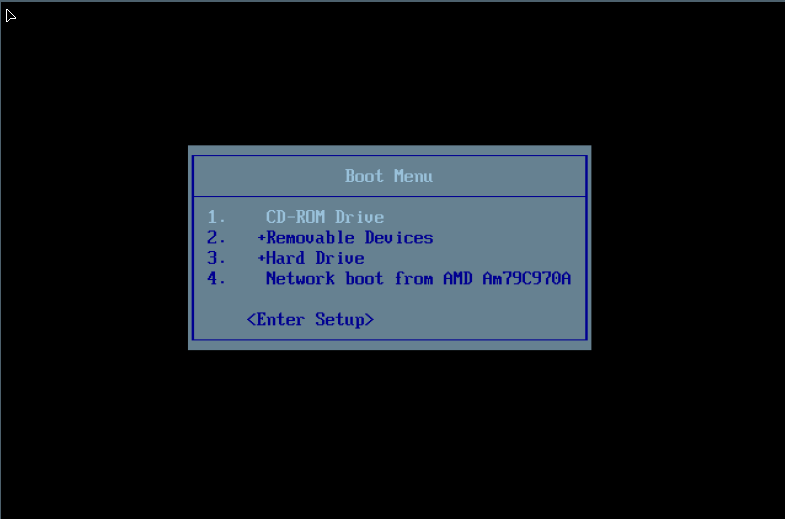
2. Once it begins booting, you should see Quick Heal emergency Scan Disk in action cleaning the infection from the system.
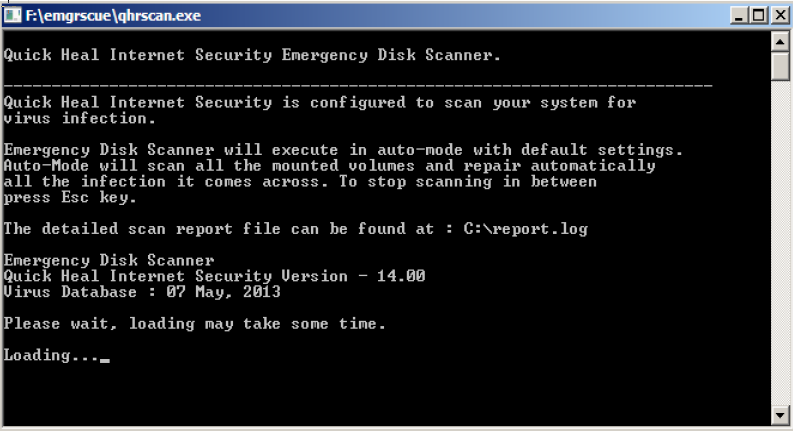
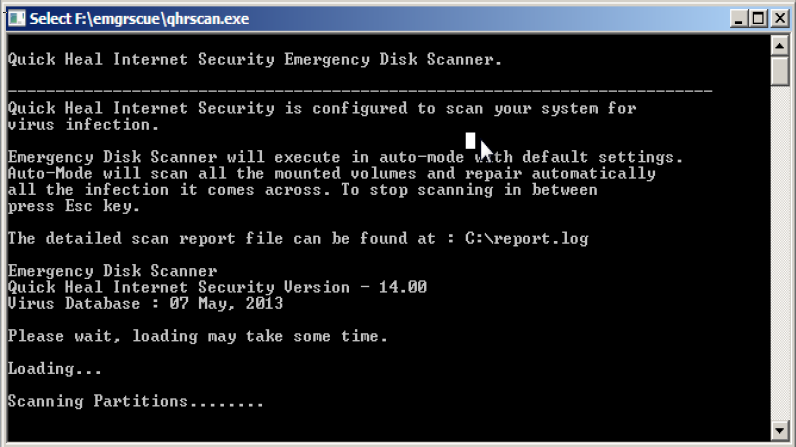
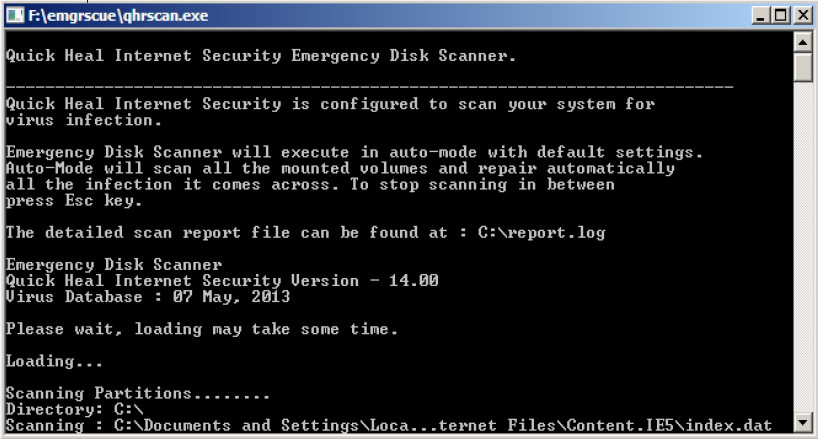
3. Once the scan is complete, your system will restart. Thereafter, follow these steps:
a. Change the booting sequence from the Bios menu
b. Change the boot device priority to Hard Disk Drive
4. If your system boots correctly, we advise you to run a Full System Scan of the system to remove footprints of any remaining ransomware, if any.

To conclude with a last piece of advice, paying the “fine (ransom)” will not necessarily return your computer to its normal state. We strongly advise our readers not to pay heed to such scams. Remember, with ransomwares, the threat of prosecution does not come from legitimate authorities.