




The End is Near for Windows XP. Is Your Business Prepared?

When Windows XP was first released in October 2001, the Apple iPod was just 2 days old and Wikipedia had only been around for a few months. But now, there is less than a month to go for Microsoft to pull the plug on Windows XP with the impending deadline of April 8, 2014 just around the corner.
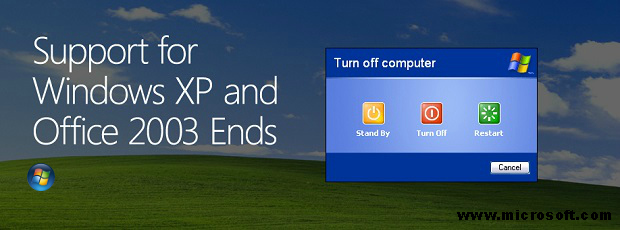
The ideal solution here is to upgrade the OS from Windows XP. Microsoft will soon be withdrawing all support for XP and this will leave machines that still run XP after April 8 vulnerable to zero-day attacks and numerous stability issues.
However, several businesses around the world and in India will continue to operate their legacy machines on Windows XP. The reasons for continuing with the OS can be related to cost, compatibility, convenience or simply negligence. Nevertheless, if your business has chosen to continue with Windows XP on one or more machines after April 8, then here are some necessary steps you must take to minimize data loss, data theft and other security concerns.
Run the XP machine(s) in a virtualized network
Application virtualization or session virtualization can help run XP machines in an isolated environment. This will allow XP running machines to be used for whatever task they have been used so far without affecting other machines and devices in the network. Moreover, a virtual environment will lock down the machine and any threats that may or may not arise via the OS. This is especially relevant for enterprises that use custom apps which cannot be upgraded anymore on XP machines.
Keep a backup of all data on the XP machine(s)
A machine running XP beyond April 8 is highly susceptible to several risks. In spite of all possible precautions, it can get infected. So a backup of all the data on the machine should be mandatorily stored. Additionally, no crucial or confidential data should be stored on the XP machine(s).
Ensure that XP is updated to the latest patch
Since Microsoft would not be releasing any further patches after April 8, you should ensure that you have the latest patch released by them. This will at least keep your machines safe as per the latest patches and security discoveries.
Use a web browser other than Internet Explorer
While accessing the Internet on XP, do not use Internet Explorer as your browser. After April 8 there will be no more updates for IE as well so it is necessary to use another web browser like Chrome, Firefox or Safari that is updated to the latest version.
Update MS Office to its latest version
You should also ensure that all your machines in the enterprise have the latest updates of MS Office installed. Several bugs that can creep through Office attachments are usually detected by the OS, so having the latest updates of MS Office will also enhance your security.
Get rid of unwanted third party software
If there is any third party software on your XP machine(s), then you need to remove it. Security holes in third party software can damage your enterprise network so all possible culprits need to be gotten rid of. If you do need to keep some third party app, you should disable its browser plugin. Moreover, set the browser to always ask what to do.
Acquire an effective and updated enterprise security solution
Most importantly, ensure that you have a reliable security suite that keeps your enterprise network protected. Products like Quick Heal Endpoint Security 5.3 & Quick Heal Terminator can help secure your network and have several features that can keep your XP running machine(s) well protected.
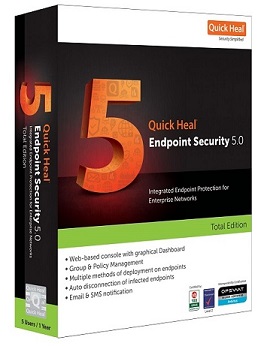
Quick Heal’s behaviour based detection actively safeguards against threats whose signature is unknown on the database. So for a machine using XP that will soon need to deal with several unknown and signature-less malware, Quick Heal can provide effective security. Lastly, ensure that your network Firewall is turned ON and that it is turned up to the strongest possible setting.
Some more points to keep in mind:
# Bloomberg recently reported that 95% of 420,000 ATMs in the US still run on Windows XP.
# According to Microsoft India, 84% of PCs in large businesses have moved away from XP. But small and medium sized businesses are more at risk.
# Without a proper migration plan, companies risk facing compliance issues. Research firm Gartner says that over 15% of medium and large enterprises will still run XP on at least 10% of their PCs even after April 2014.
# Business Standard reported in November 2013 that around 34,000 branches in public sector banks were still running Windows XP.
# Microsoft India has also reported that 52% of PCs in banks, 30% in Government offices, 26% in manufacturing companies and 26% in software firms were running on XP.