

Safety Tips for Using USB Drives

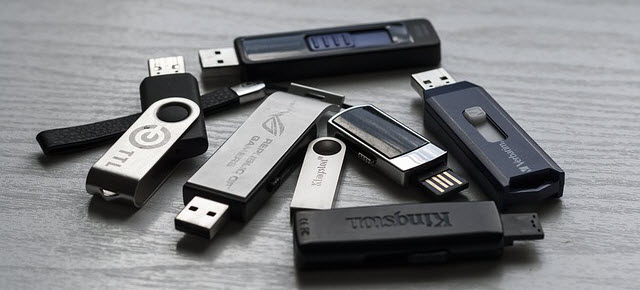
When mankind was struggling with compact disks and floppy disks, the USB drive came into the digital world as a long sought relief. It made storing and transferring of data way easier. But as useful as these tiny gizmos are, they can also be a potential carrier of malware, and thus a favorite pawn for hackers. Let us see how USB drives, also known as flash drives, can be a big security threat.
Why USB Drives can be a huge Security Threat?
Used as a Pawn to Infect Other Computers
A malware code that can recognize USB drives, can infect your computer via an infected website. So, the moment you plug your flash drive into your computer, the malware might download additional malicious codes onto the device. And when this device is used in another computer, even that gets infected. Now, this malware code could be used to steal sensitive or financial information of the victim, and transfer the data to an external server. This stolen data could be used by a hacker for financial purpose or other illegal activities.
Data Loss
Probably the greatest risk that USB drives have is associated with their basic function itself – their storage capability. If your USB drive is lost or stolen, then you are risking misuse of the content the device contains. Now, this content may include information ranging from general notes to sensitive data like personal images/videos or even classified corporate matter. Standard USB drives do not have any built-in security feature, and if your data in it is not encrypted, then you can understand what’s at stake here.
Physical Access
The greatest boon of technology is its ability to reduce space; shrinking the size of devices as much as possible without affecting their functionality. Unlike the old school days, flash drives today can be as small as a toenail. Using such devices any miscreant who manages to get physical access to your computer, can download sensitive files including encrypted keys, passwords, personal data, etc., and use it to their advantage. And the sad part is, you might not have even the slightest of idea that your data has been compromised.
Autorun Infection
Autorun is a feature in Windows that automatically runs executable file in a drive when it is accessed; which in this case is a USB drive. This feature, however, is more harmful than being convenient. This is because, with its help, any malware in the USB drive can get executed automatically the moment the drive is plugged into a computer.
How to Use USB Drives with Caution?
1. Always use separate USB drives for home and for work.
2. When it comes to computer security, always treat the unknown with extreme caution. Never use an unknown USB drive on your computer. Even if you are using your friend’s or colleague’s flash drive, ensure that the device is not infected.
3. Use a reliable and multi-layered security solution for your computer. A malware hiding in your machine, as already discussed, can easily spread to other computers via a USB drive.
4. Disable the autorun function in your computer. Depending on the version of your Windows OS, the steps may vary.
5. Do not store information such as social security number, credit card number, bank account details, passwords, etc., in your flash drives. However, if you should do it, then get all such data encrypted. You can use software like TrueCrypt for this purpose.
6. To reduce the odds of misplacing your USB drives, considering their petite size, keep a designated storage for them in your home and office.
How Quick Heal Protects your USB Drives?
One of the thoughtfully implemented features offered by Quick Heal security solution is its USB drive protection.
- It prevents autorun infection.
- It allows you to block unauthorized USB drives from accessing your computer and thus keeps your sensitive data safe.
- It scans external drives the instant they are connected to your computer.
A simple but useful technology is one that is the most popular with the masses. And this very kind of technology happens to be the most appealing to cyber criminals, as well. By all means, make good use of every technology you come across; but do not shy away from the need of using it in a safe and secure manner.