
Quick Heal Safe Banking – For Secure Online Banking and Shopping

The Safe Banking feature of Quick Heal v16.00 ensures that your financial transactions on the Internet are safe from hackers and malware. Scroll down to know more about this security feature.

While the Internet has made it convenient for us to shop, bank, and pay our bills online, it has also made us vulnerable to common threats such as:
Phishing Attacks – attempts by hackers to steal our personal and financial data such as login id passwords, credit/debit card details, net banking information, etc.
Identity Theft – attempts to steal our identity online and using our personal information to indulge in malicious and illegal activities.
Key Loggers – malicious programs designed to record what we type on our keyboard and use the recorded data for illegal activities.
Quick Heal Safe Banking has been designed taking all such threats into account. This security feature automatically takes all necessary steps required for secure online banking, shopping and other financial transactions on the Internet.
How Safe Banking Benefits You
✓ Creates a safe virtual environment to let you bank, shop, and pay bills online securely.
✓ Gives automatic protection against online banking threats such as phishing, identity theft, ‘data-stealing’ programs such as key loggers, etc.
How do You Use Safe Banking
✓ Click Safe Banking shortcut on your desktop

✓ Use any of the Internet browsers to conduct an online transaction
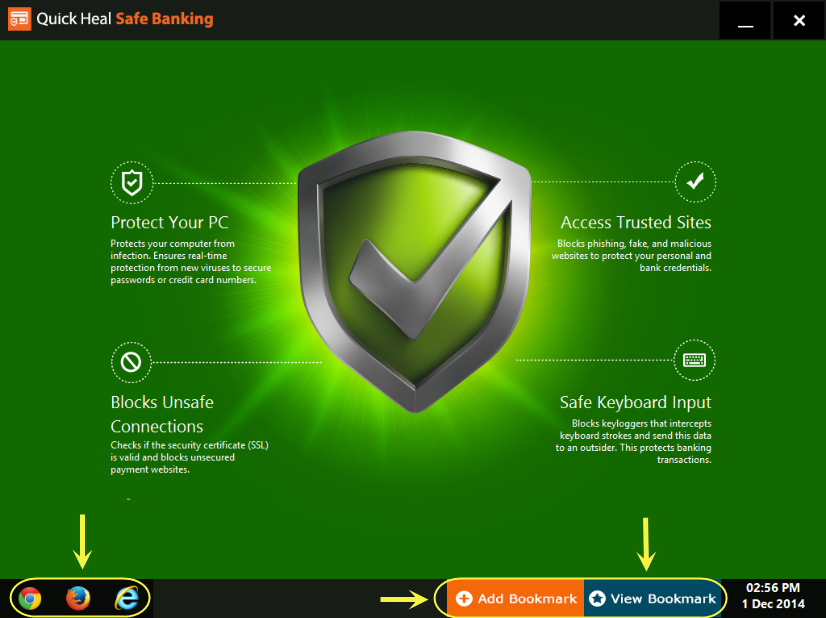
✓ You can also bookmark your usual banking and shopping sites
• Quick Heal Total Security
• Quick Heal Internet Security
Some Quick Points to Remember
✓ Safe Banking is one of the new and enhanced features of the recently launched Quick Heal 16.00 series.
✓ A free upgrade to the 16.00 version will be released soon in the coming weeks for existing Quick Heal users.
✓ New users can get a free trial of this version from our website www.quickheal.co.in
As always, we would love to hear your feedback about our new features. Do leave your comments below.