


5 Easy Tips to Protect your Smartphone from Theft and Privacy Threats

It is most likely that smartphones are now after air, food, and water. With this thought in mind, here’s a quick combo of some simple tips and tricks to protect your smartphone from privacy threats and loss or theft.
Use Your Phone’s Auto-Lock Feature
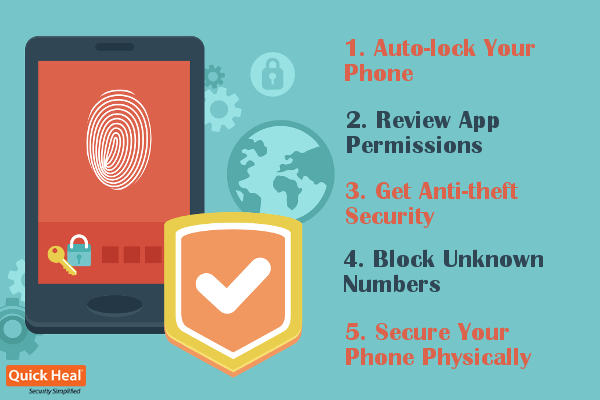
The term ‘lock’ is where security begins from, whether it is your home, your car, or your smartphone. Keeping your phone locked with a hard-to-guess pin code or passcode is the simplest security measure you can take. And given the fact how most of us usually forget to lock our phone, the auto-lock could be a really handy feature. It gives you two main benefits:
– Keeps nosy people from digging through your phone.
– Keeps miscreants from stealing or misusing your information.
Know What Apps Can Affect your Privacy
You may have installed certain apps that have access to your calendar events, contact information, location of your device, photos, videos, camera, your device ID, etc. In short, such apps have access to your private information, and may affect your privacy. So, either review the permissions carefully before installing an app, or get a software for your phone that can help you review apps that are already installed on your phone.
Know How to Protect your Smartphone if it Gets Lost/Stolen
Unless you live in a world of Good Samaritan folks, it is crucial that you follow this security measure. Losing your phone not only means losing your personal information forever, but it also runs the risk of your information being misused by unscrupulous people. Things can get uglier if your lost phone has confidential data about the organization you work for. So, one thoughtful way to avoid all these risks, is to get an anti-theft app that can help you take the following measures if your device gets lost/stolen:
– Lock your phone
– Track your device’s current GPS location
– Erase the entire data from your phone
Know Who’s Calling You
Besides your personal identity, your phone number is a cash cow for various organizations, especially telemarketing services. Once you receive a call from such services, your number will be shared with similar services who too will call you and send you text messages. The trick to avoid falling into the pit of such unwanted services is to avoid taking calls from any unknown numbers in the first place. There are some genuine mobile apps that display the caller’s identity before you receive the call. Most of these apps also help you block numbers that send spam messages.
Physical Security is also Important
Equally important is the safekeeping of your device. Losing it while commuting in a crowded subway, forgetting it in a restaurant, or letting it slip away into the hands of a burglar, are some of the most common ways people lose their mobile phones. So, keeping your phone in hard-to-access places, especially when in a crowded place, will keep prying eyes of burglars off your device.
For situations where your phone gets lost or stolen, an anti-theft mobile security application can be of great help. Quick Heal Total Security for Android has everything that you need to protect your mobile not only from thieves, but from the new malware threats cropping up on the Internet. And now some new features have been added to the software. One of them is Personal Security, that can help you in times of emergency. Learn more about these features here.