

Quick Links


Popular Searches



Close
Products
Looking for enterprise solutions?
Discover SeqriteLooking for enterprise solutions?
Discover SeqriteLooking for enterprise solutions?
Discover SeqriteLooking for enterprise solutions?
Discover SeqriteLooking for enterprise solutions?
Discover SeqriteHow to unlock your phone if you forget your Secret Code?
There are three methods to unlock your phone if you forget your secret code.
Step 1: On the Quick Heal Total Security Block Screen, tap on the Unblock button.

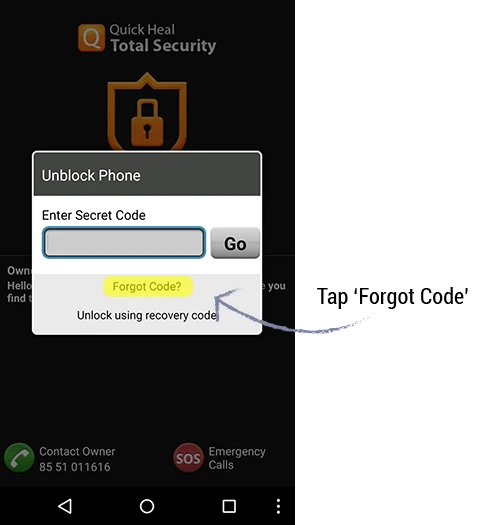
Step 2: The Enter Secret Code screen is displayed. Tap on Forgot Code?
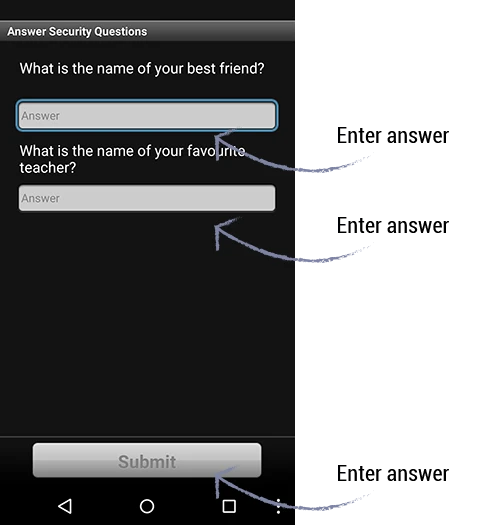
Step 3: The Answer Security Questions screen is displayed. Enter your security answers and tap on the Submit button.
Step 4: The Change Secret Code screen is displayed. Type your new secret code and then confirm by re-entering the same code. Tap on Submit.

Step 5: After setting the new secret code, your device will be unblocked.
Step 1: On the Quick Heal Total Security Block Screen, tap on the Unblock button.

Step 2: Tap on Unlock using recovery code.
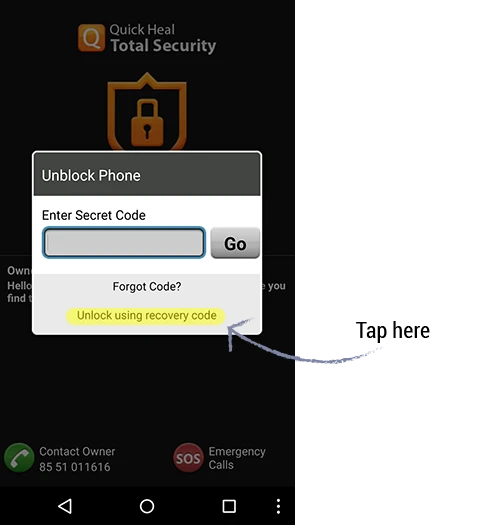
Step 3: The Recovery Code screen is displayed. Enter valid details (product key and registered email address). Tap on Submit.
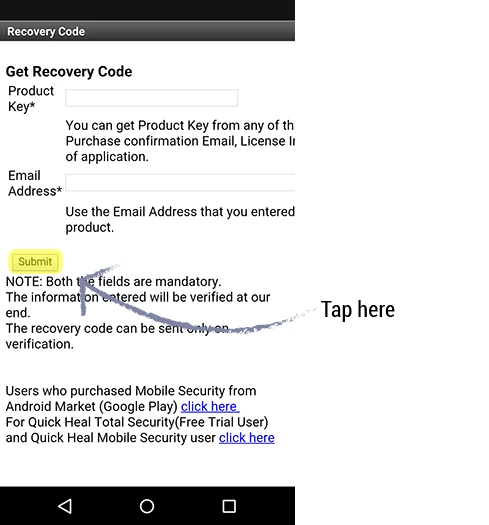
Step 4: Enter the recovery code sent to your registered Email ID, and tap on Submit.

Step 5: The Change Secret code screen is displayed. Set the new secret code and tap on Submit.
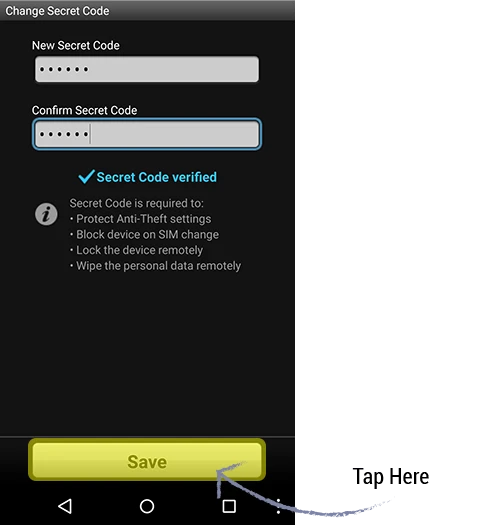
Step 6: After setting the new security code, your device will be unblocked.

Step 1: Login to the Quick Heal RDM portal (https://mydevice.quickheal.com/rsvc/login) using valid credentials. Click on the UNLOCK button.
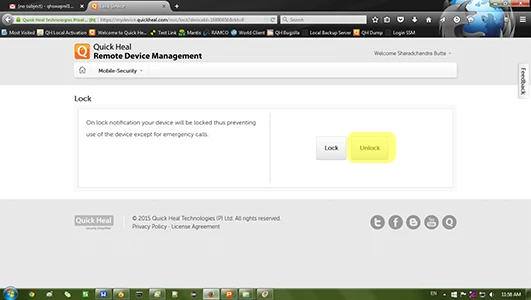
Step 2: After receiving the UNLOCK command from the RDM portal, your device will be unblocked.
What are the possible scenarios wherein a device may be blocked?
Please complete your information below to login.